📂 Transform your Minecraft skin to blocks
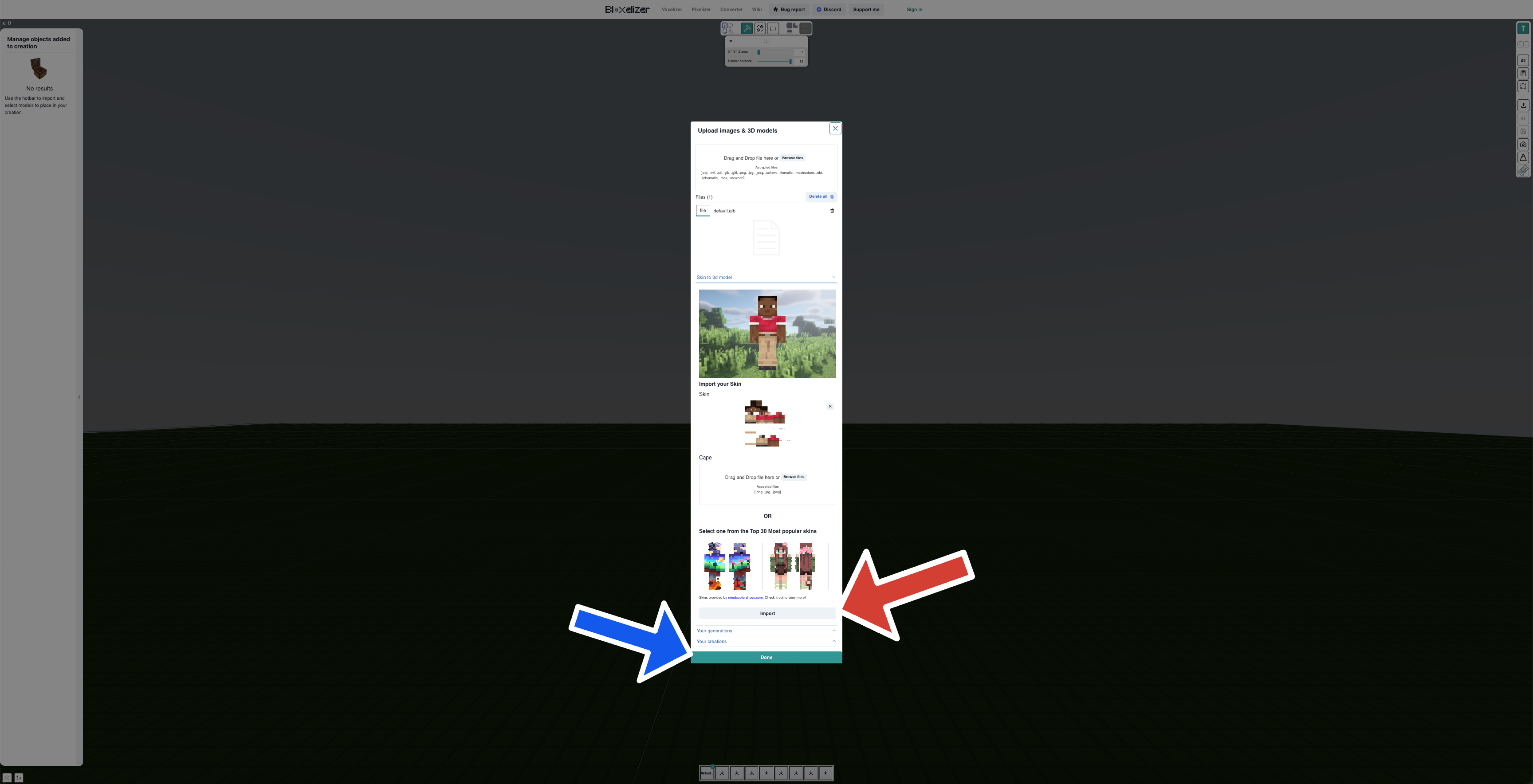
In the Voxelizer, click on the hotbar item and import your skin texture or choose one of the available ones.
🖼️ Import skin
Once clicked into the world, the UI updates:
- One you add your skin or choose one of the avilable ones, click Import (red arrow)
- Click Done (blue arrow) to add the 3d model of the skin to your hotbar.
- From there, it's treated like any other 3d model. Add it to your world, select the size, position etc.